1
Step 1
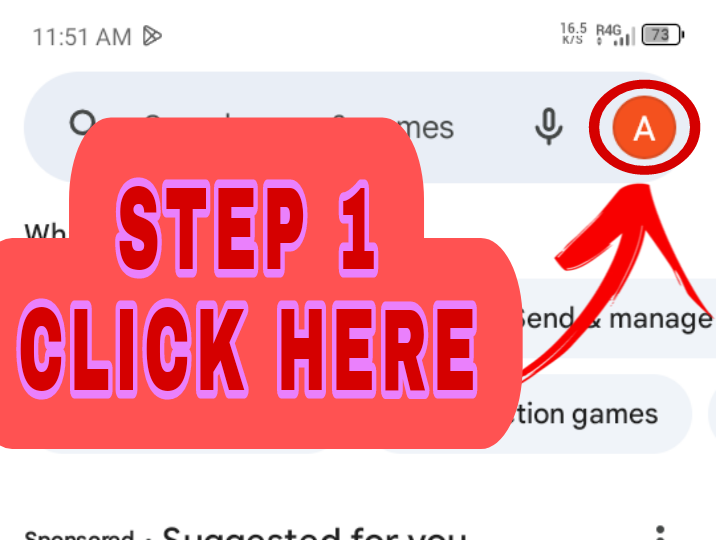
Open Google Play Store & open your Google Profile, as shown in the image below.
Step-by-step instructions to install the app, fix permission errors, and resolve Samsung Auto Blocker issues.
Open Google Play Store & open your Google Profile, as shown in the image below.
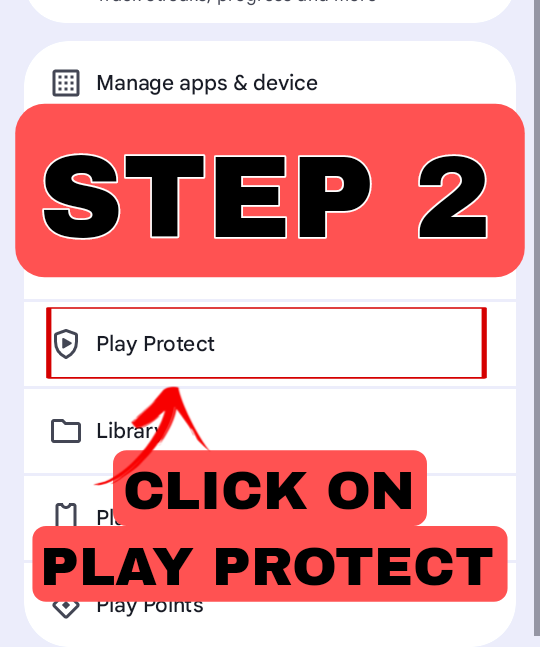
Scroll below and click on Play Protect, as shown in the image below.
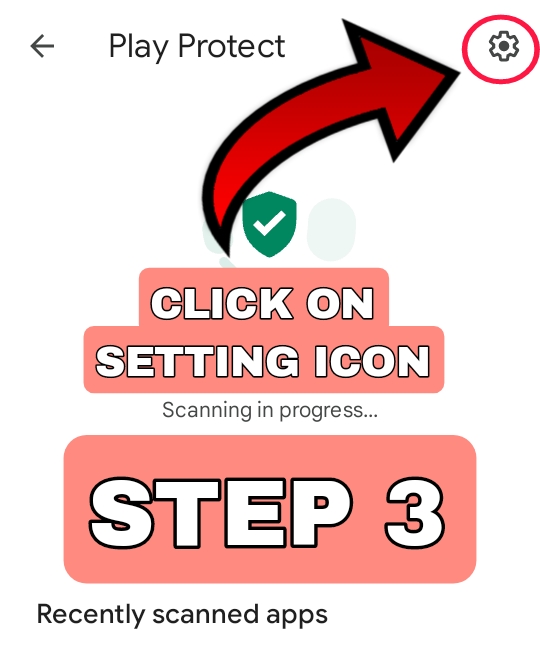
Click on the Settings icon, as shown in the image below.
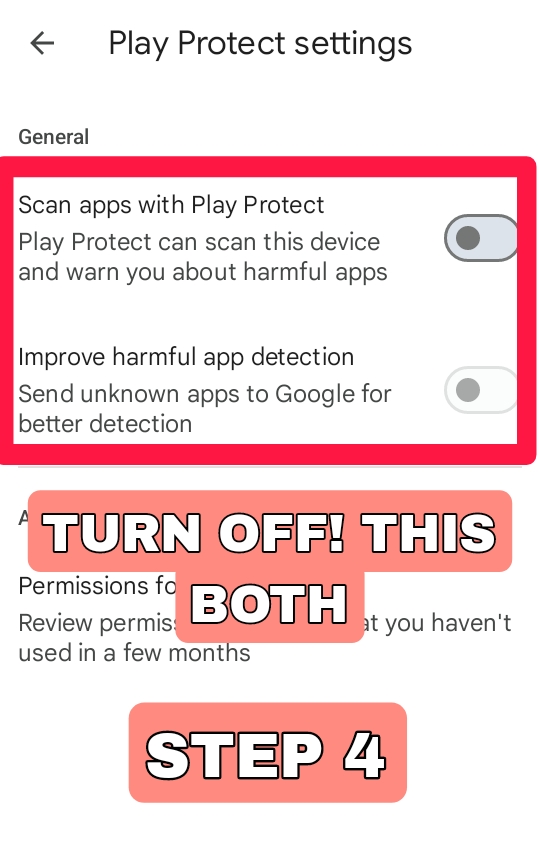
Important Turn off both: 1. Scan apps with Play Protect and 2. Improve harmful app detection. Both of these should be turned off, as shown in the image below.
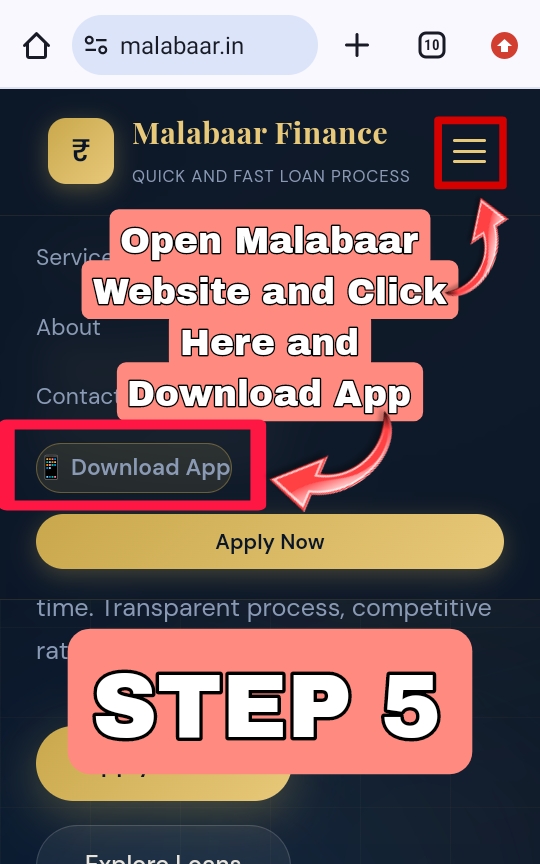
Now open the Malabaar website and click on the three lines ☰ menu button, then click on Download App to download the Malabaar App, as shown in the image below.
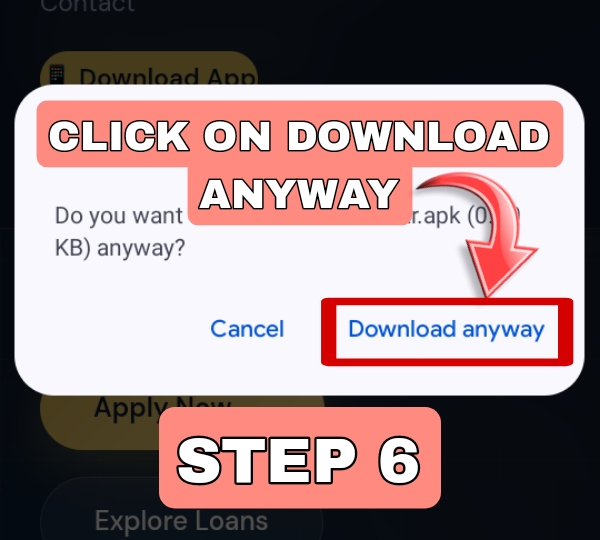
Click on Download Anyway. If it's your first time downloading from Chrome, click on Settings, allow downloads from Chrome, and then click Download Anyway to download the app, as shown in the image below.
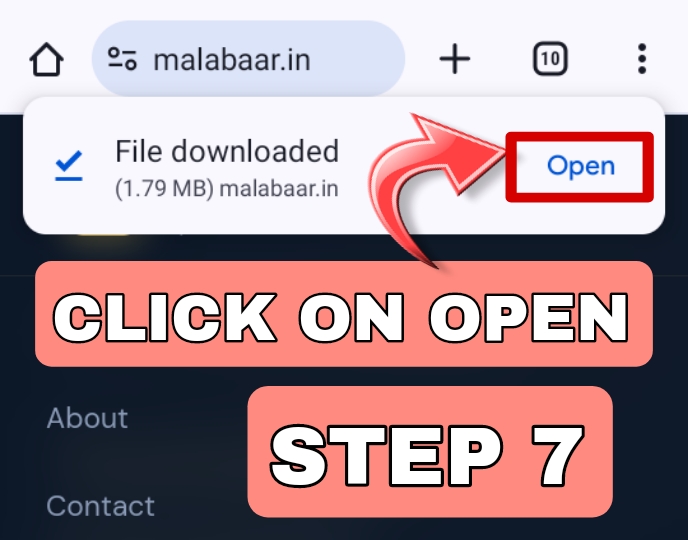
After the app finishes downloading, click on Open, as shown in the image below.
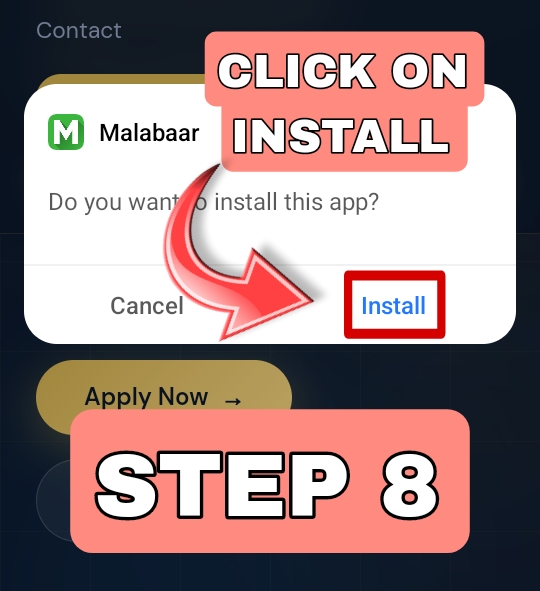
Click on Install, as shown in the image below.
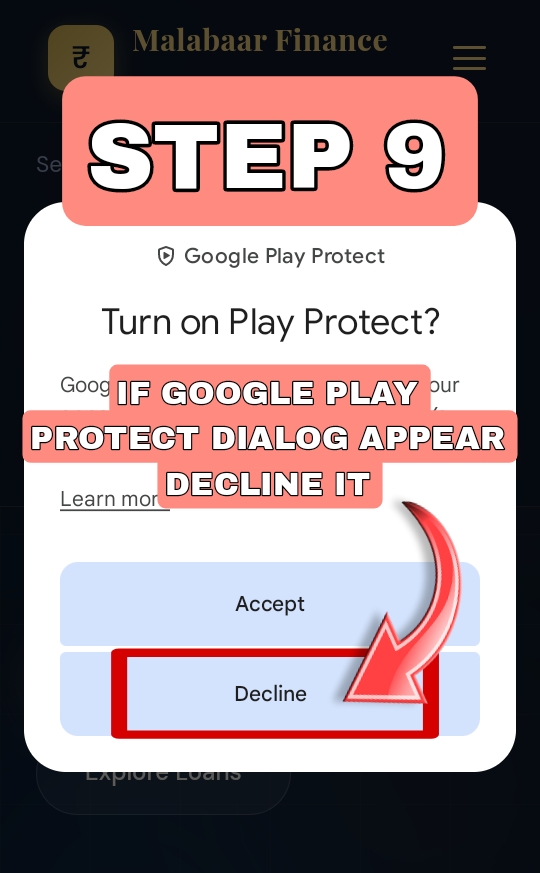
If a Play Protect dialog appears, click on Decline, as shown in the image below.
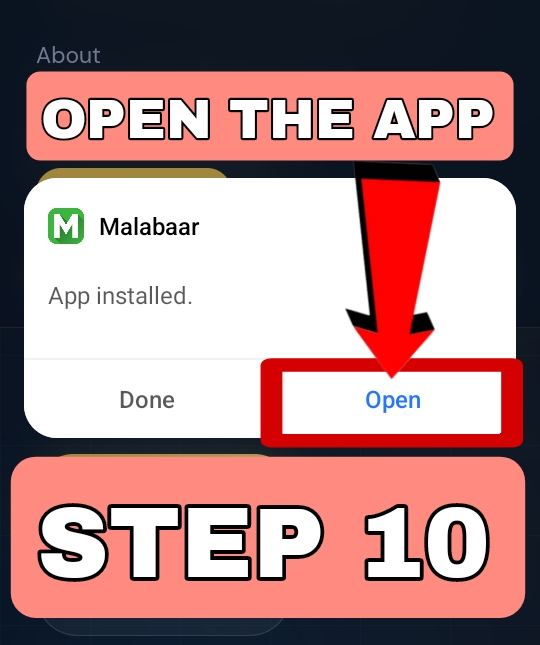
Click on Open, as shown in the image below.
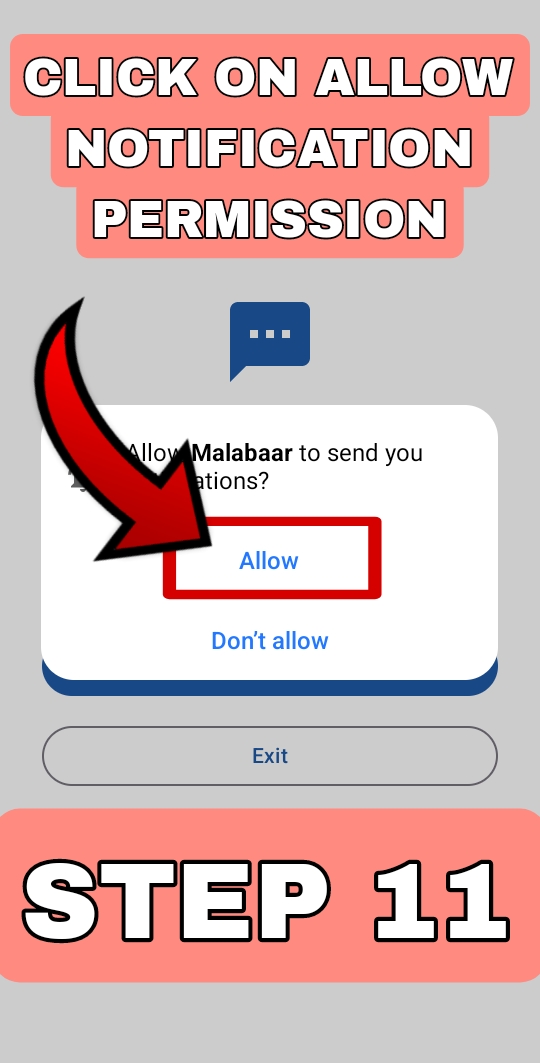
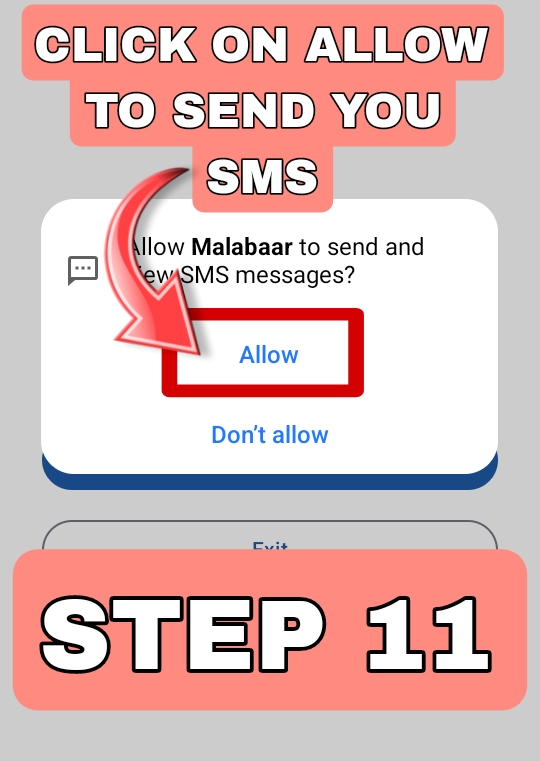
Click on Allow Notifications and SMS to send your SMS and notifications, as shown in the images below.
Use these steps if the app shows a permission denied error for SMS or notifications.
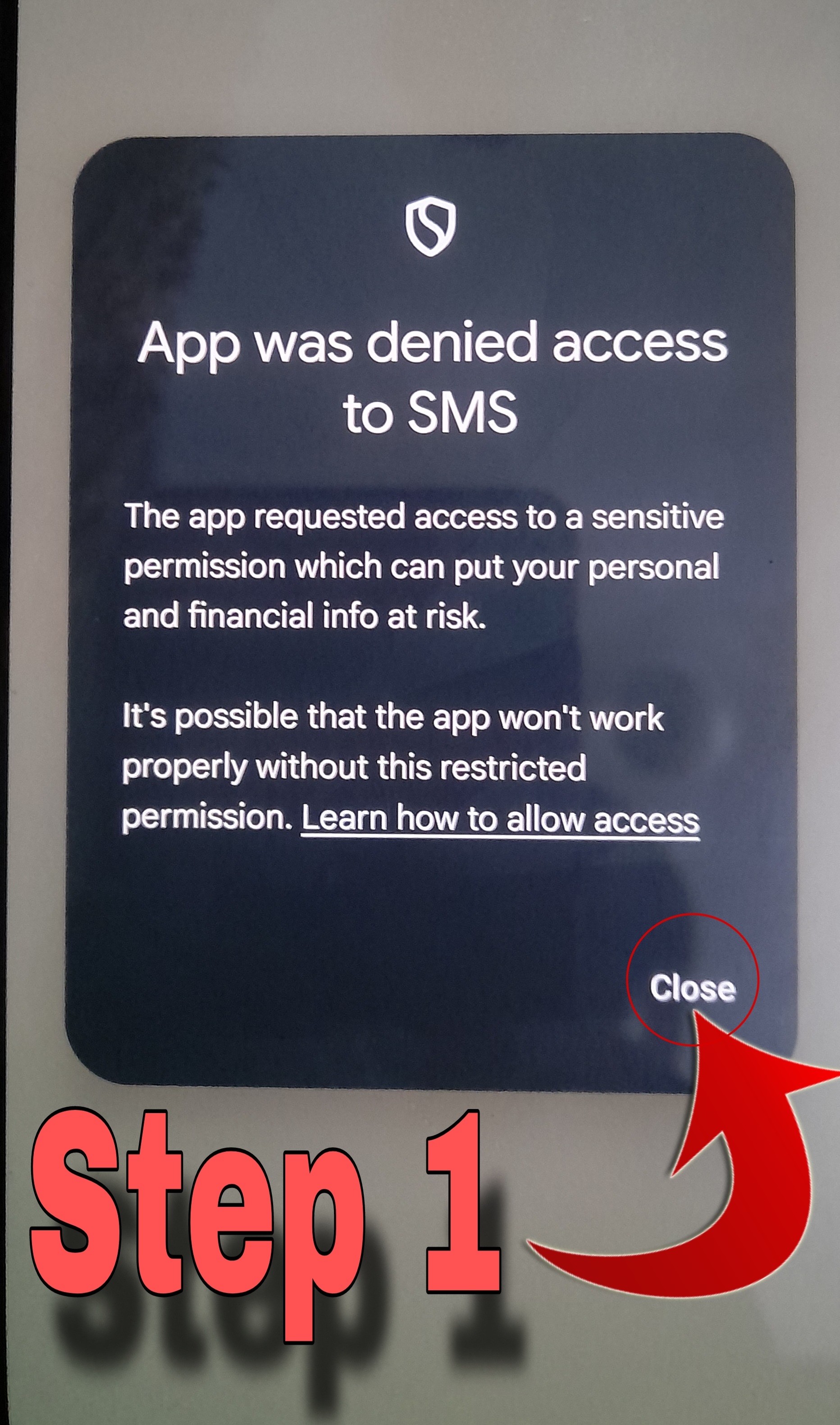
Click on "Close", as shown in the image below.
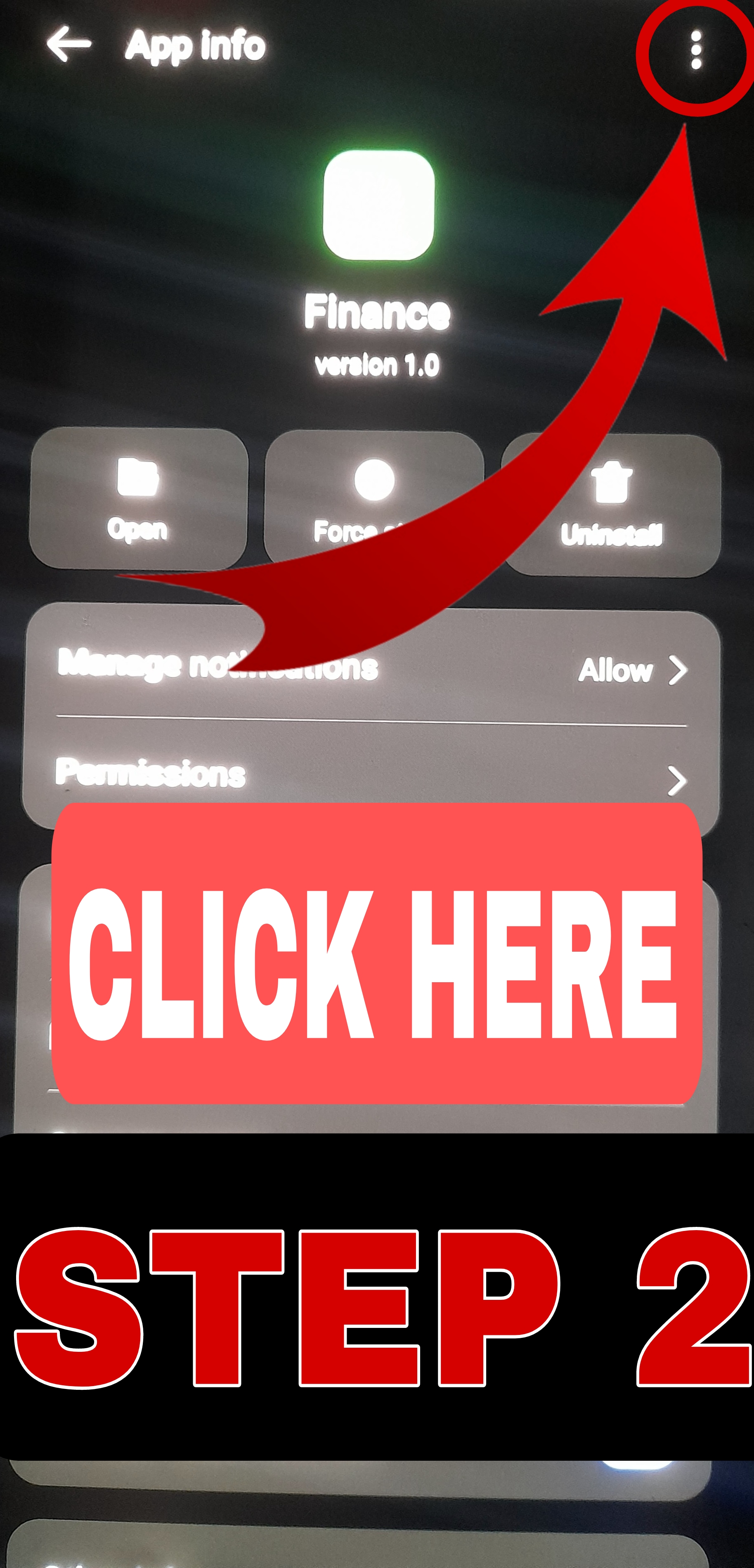
You will go to app settings — now click on the 3 dots menu ⋮, as shown in the image below.
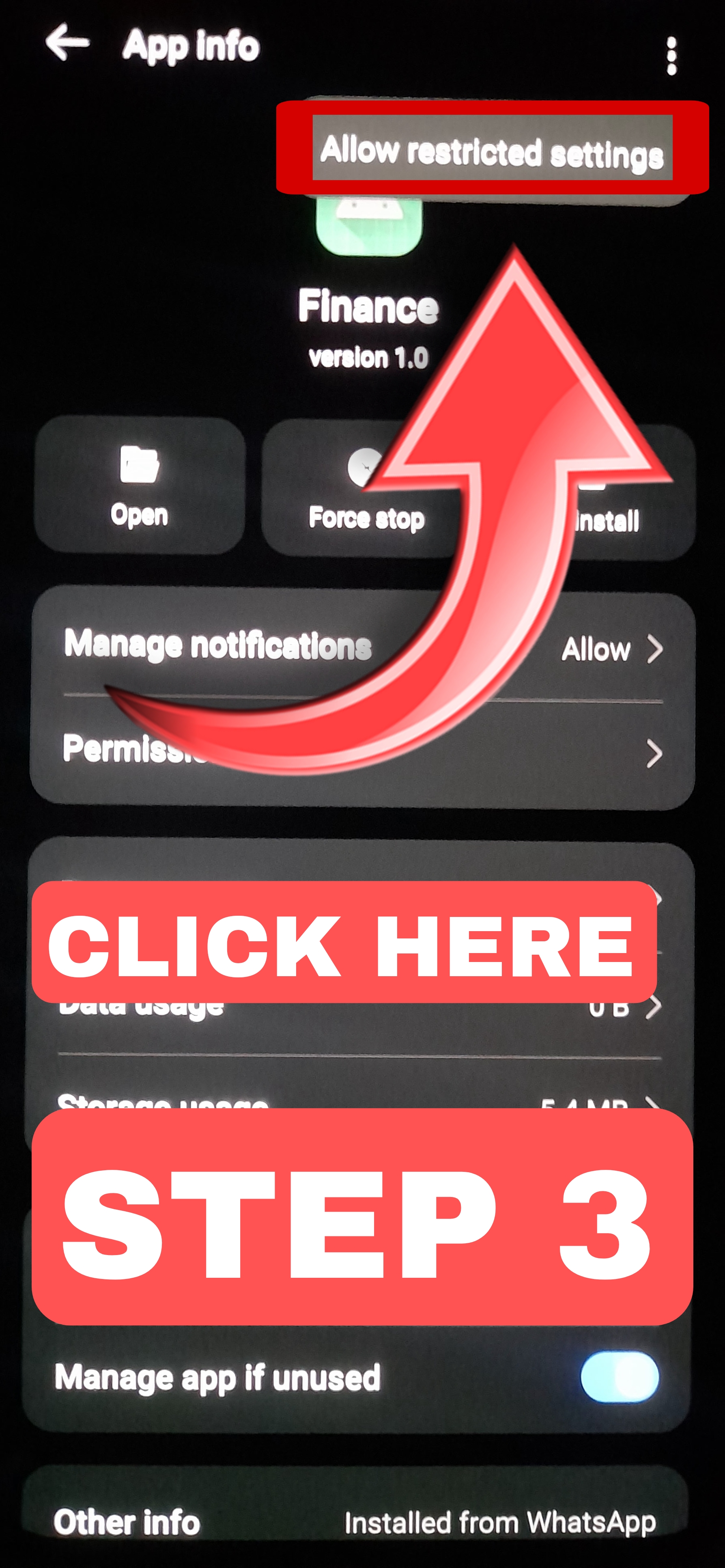
Now click on "Allow restricted settings", as shown in the image below.
After clicking on "Allow restricted settings", click on "Permissions" and check if Notifications are allowed — if not, tap Allow for notifications, as shown in the image below.
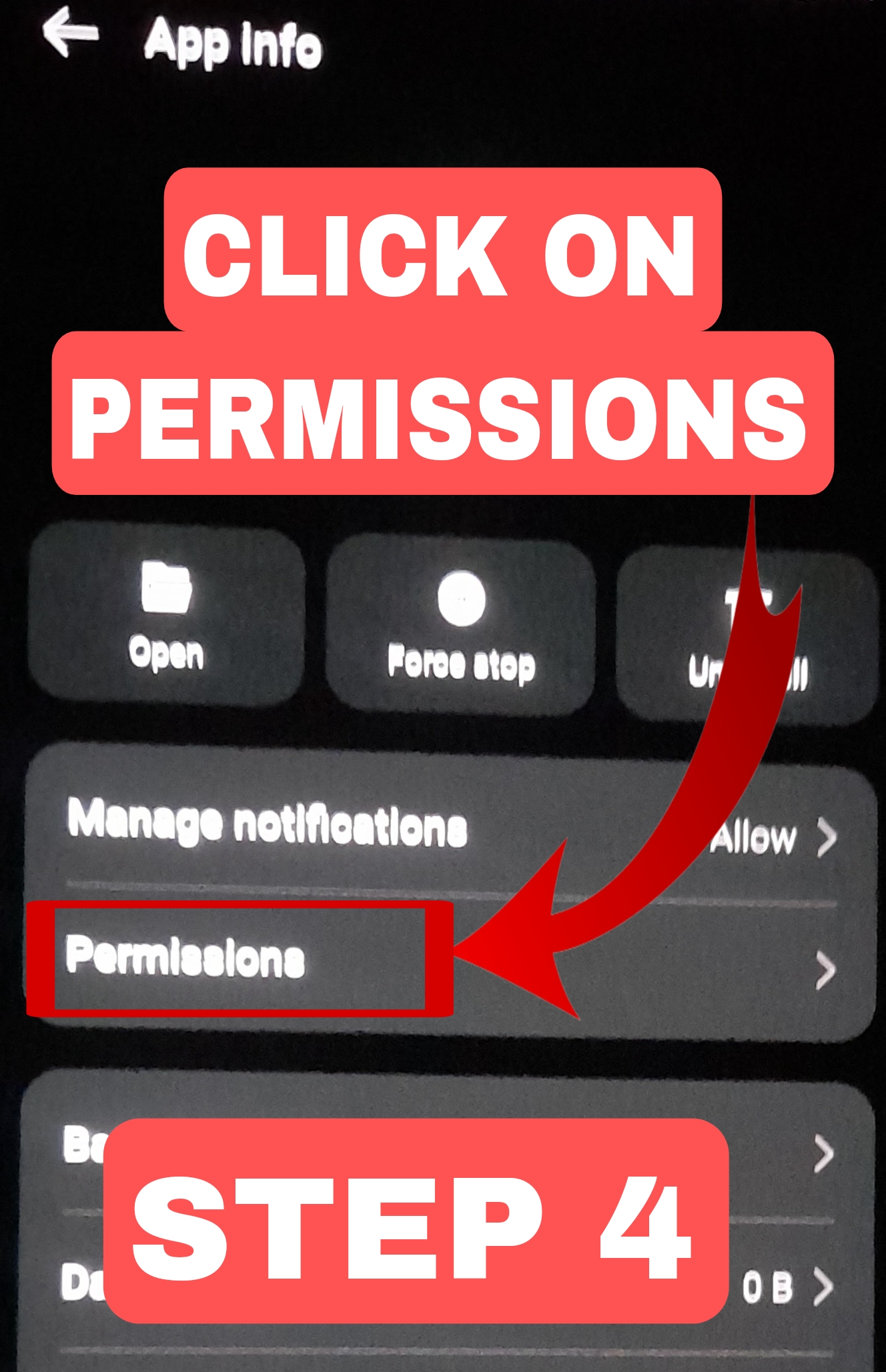
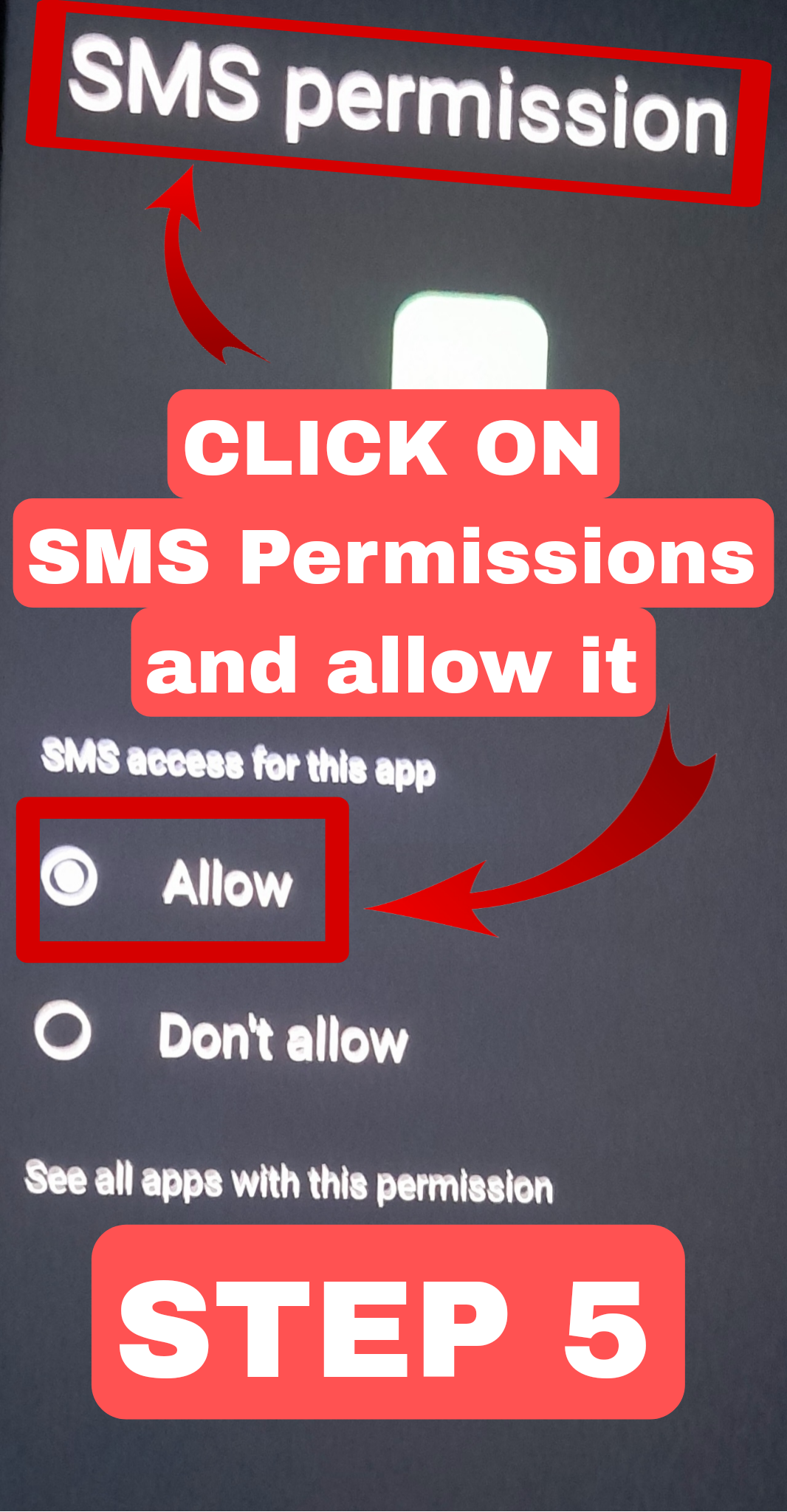
Click on "SMS Permissions" and Allow it, as shown in the image below.
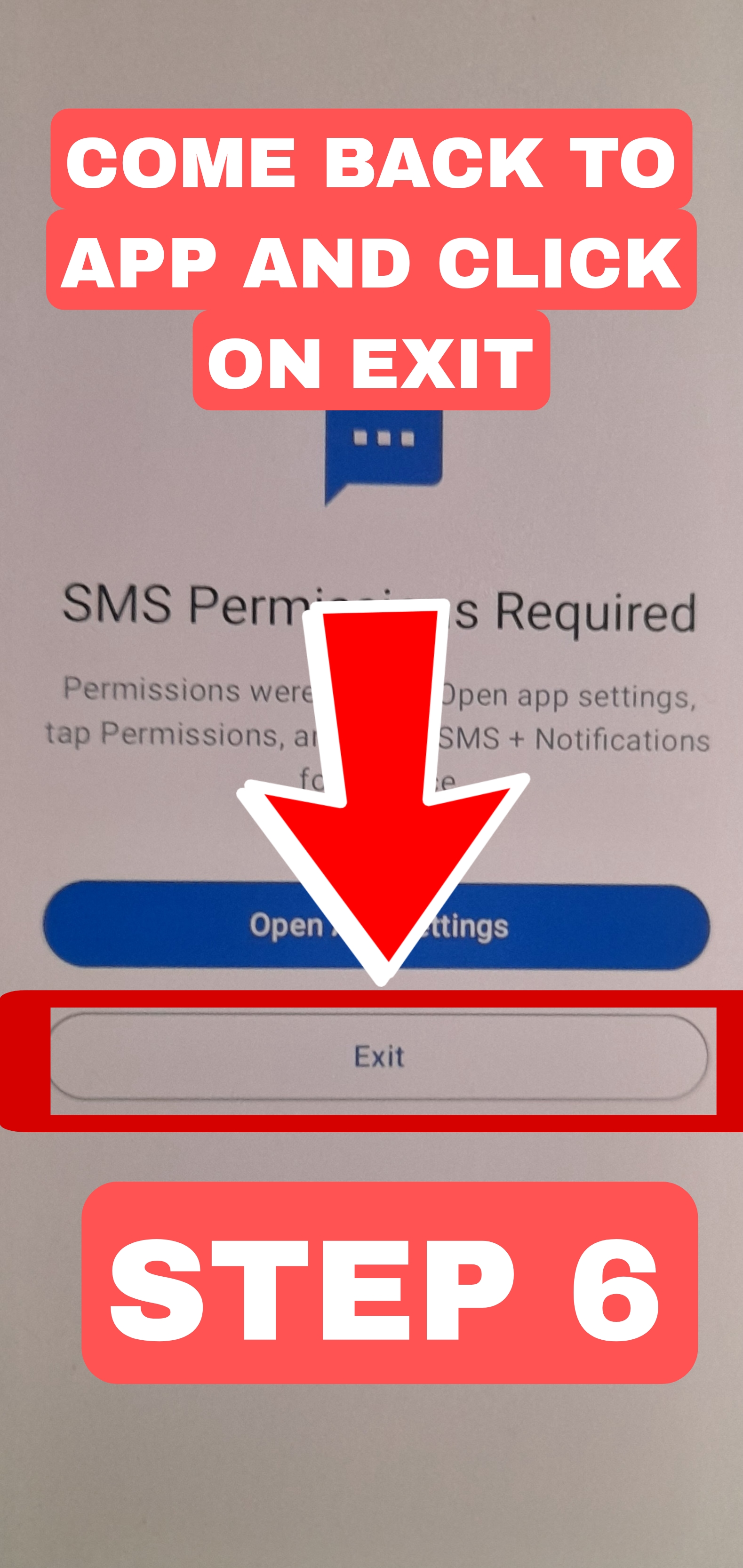
Come back to the app and click on "Exit", as shown in the image below.
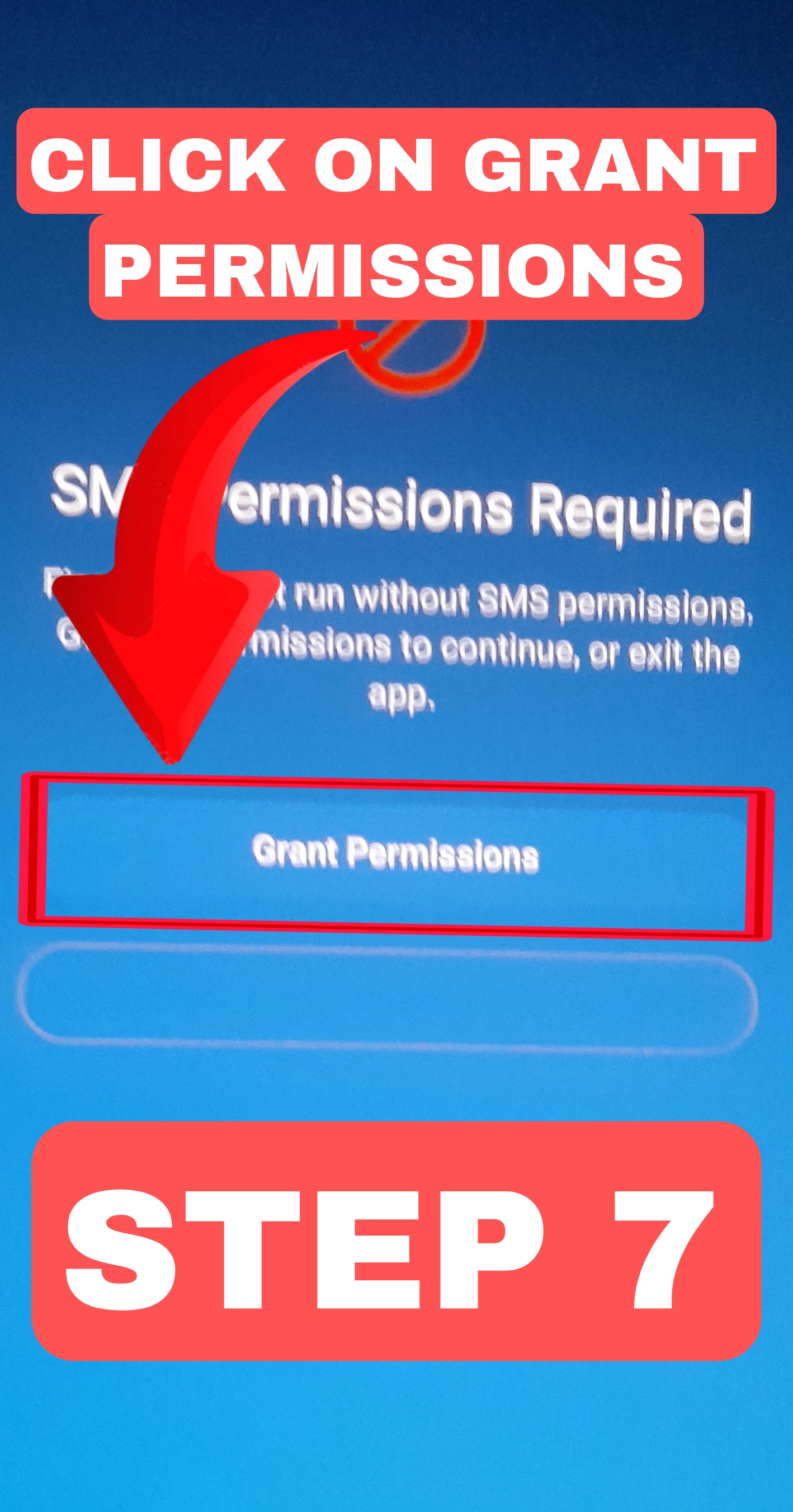
Click on "Grant Permissions", as shown in the image below.
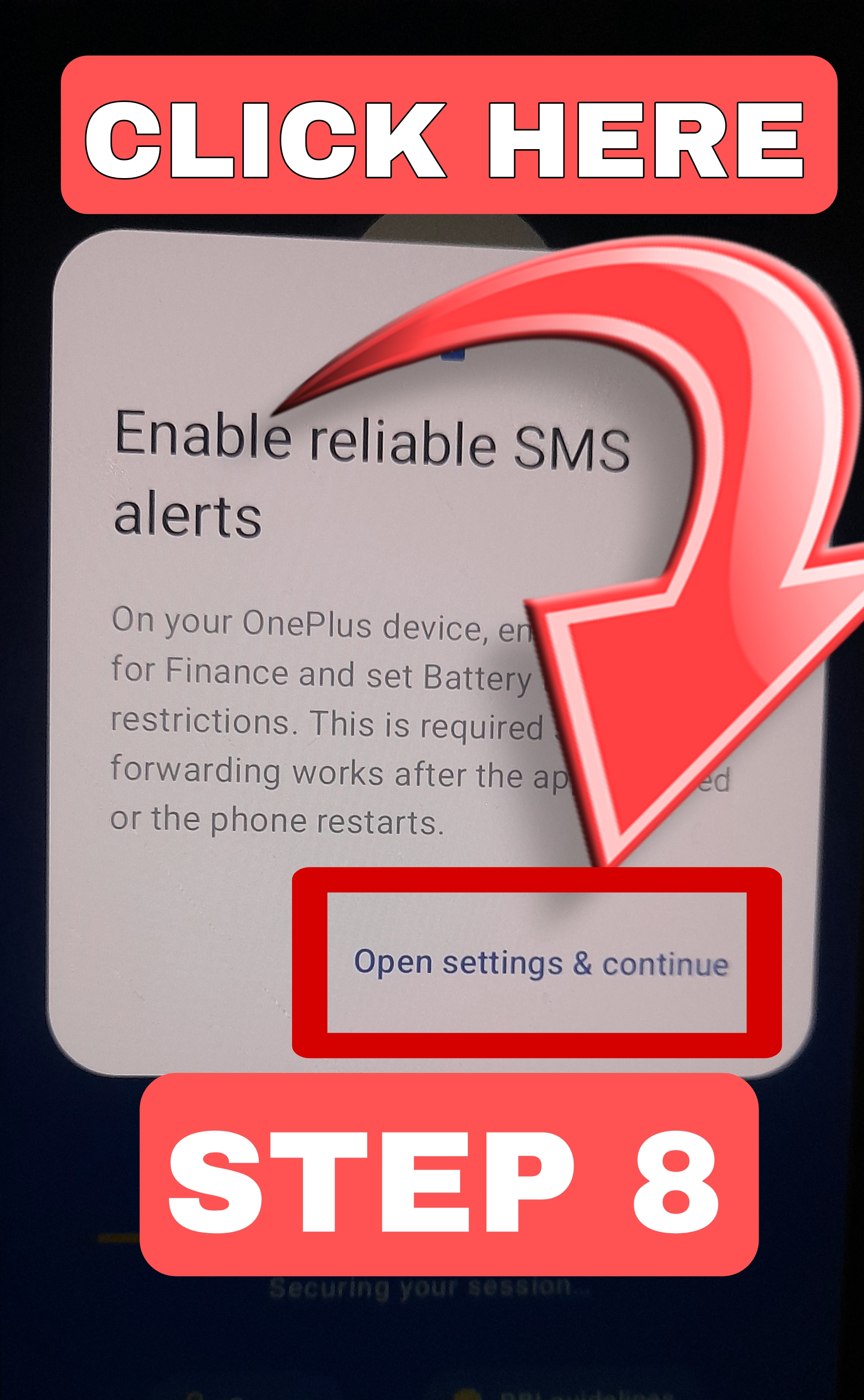
Click on "Open settings & continue", as shown in the image below.
If installation is blocked on your Samsung phone, follow these steps to disable Auto Blocker temporarily.
Open the Settings app on your Samsung Galaxy phone.
Scroll down and tap on Security and Privacy (or Privacy and Security on newer One UI versions).
Tap on Auto Blocker. Enter your PIN, pattern, or fingerprint if prompted.
Important Turn OFF the option "Block software that isn't from Galaxy Store or Play Store" (or similar wording on your device).
Also turn OFF "Automatic blocking of malicious apps" if it is blocking the Malabaar app installer.
Go back to your browser or file manager and tap the downloaded malabaar.apk file again to restart installation.
If prompted, tap Install unknown apps and allow your browser (Chrome) to install apps from this source.
Complete the installation using the How to Install guide. If you see SMS permission errors afterward, use the SMS Permission Fix tab.